-
Solutions

Timesheets Management
Stop leaving money on the table. Procxo's AI integrated time tracking operates in the background.
Project Management
Procxo connects all the work your team does with the money your firm makes. Manage your deadlines, assignments, and budgets.
Invoice Management
Turn days of manual reconciliation into a single click. Procxo works in the background to automatically.
Contract Lifecycle Management
Accelerate negotiations, govern service level agreements (SLAs), and execute agreements flawlessly. Procxo unifies drafting.
-
Resources
Blogs
Read our latest insights, articles, and updates. Stay informed with industry trends and perspectives.
Case Studies
Explore real examples of our work and impact. See how we solve complex challenges.
Why Procxo
Built to streamline projects, billing, and financial workflows. Helping service professionals work smarter and grow faster.
FAQs
Browse answers to frequently asked questions. Find clear information about our services and processes.


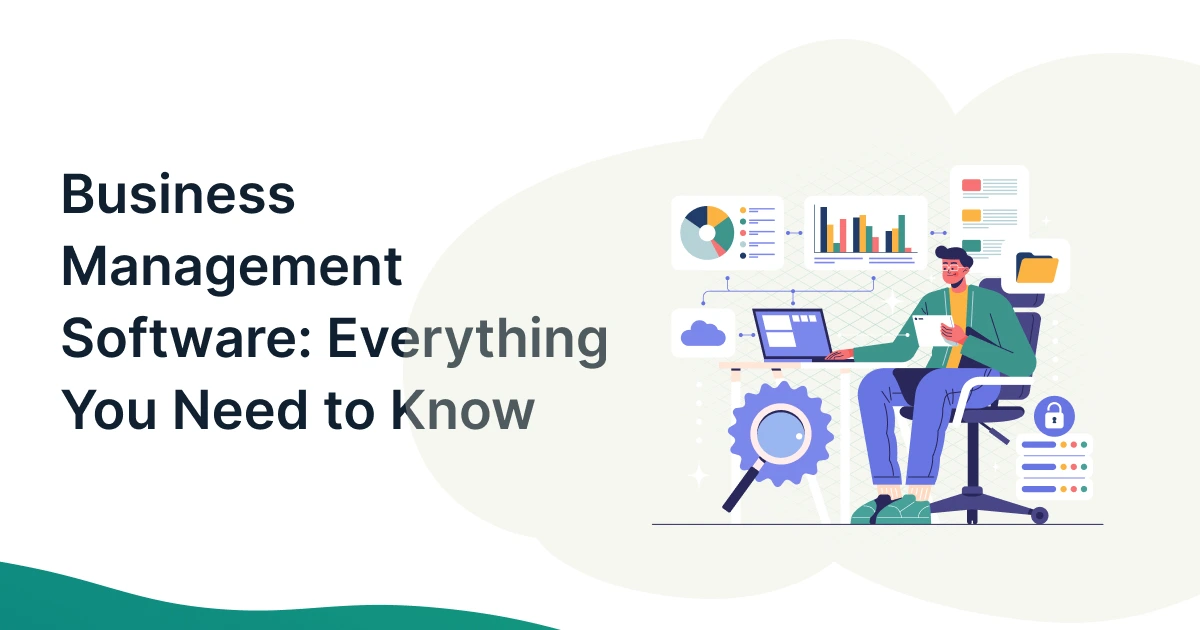
Running a company today is like running chainsaws. You jump from a spreadsheet to a chat app, then to an invoice tool that refuses to talk to your bank. These disconnected tools waste hours, create errors, and hide critical data. In scenarios like these, modern business management software becomes a mandate. By replacing scattered apps with a unified system, you instantly centralize daily operations. In this guide, you will learn how this technology works, its core features, key benefits, and how to choose the right platform for your growth.
Key Takeaways
- Centralization: Replaces fragmented point solutions with one unified platform.
- Efficiency: Automated workflows reduce manual errors and administrative bloat.
- Scalability: A modern ERP alternative grows smoothly beside your team.
- Total Control: Connects project tracking, invoicing, and contract management.
What Is Business Management Software and Why Does It Matter?
Business management software is like the central nervous system of your company. Instead of running separate apps for every team, it connects your entire operational workflow under one roof.

Business Impact Overview
| Metric | Impact with Unified Software |
| Administrative Overhead | Reduced by up to 35% |
| Data Synchronization Delay | Cut from hours to real-time |
| Cross-Departmental Visibility | Increased to 100% across all functions |
Source: Gartner
It captures operational data, automates tasks, and gives you an only source of truth. As Gartner highlights, organizations adopting unified operational platforms reduce cross-departmental friction by over 30%.
- Business Management Software Definition: An all-in-one digital platform that handles day-to-day operations, from tracking hours to managing finances.
- How It Works Across Different Business Functions: It shares live data across departments, so sales, finance, and operations stay fully aligned.
- Why Modern Businesses Need a Unified Management Platform: Scaling with fragmented apps causes massive data silos, costly delays, and missed growth targets.
- Common Business Problems It Solves: It eliminates duplicate data entry, reduces miscommunication, and provides clear visibility into profits.
Managing these operational hurdles requires a look at the specific capabilities that make a platform worth your investment.
What Are the Core Features of Business Management Software?
To build an organized workflow, you need a balanced set of tools. The best platforms bundle several critical capabilities into one intuitive interface.
Features Matrix
| Front-Office Tools | Back-Office Engine | Growth Accelerators |
| CRM & Sales | Finance & Procurement | Workflow Automation |
| Project Tracking | Inventory & HR | Analytics & Dashboards |
Modern platforms act as a complete ERP alternative, delivering high-level functionality without overwhelming setup costs.
Customer Relationship Management (CRM)
Tracks leads, manages deal pipelines, and stores customer interaction history cleanly.
Finance and Accounting
Handles client invoicing, expense tracking, and real-time financial reporting effortlessly.
Inventory and Warehouse Management
Monitors stock levels, tracks shipments, and triggers auto-reorders before items run out.
Sales and Order Management
Processes customer orders, manages quotes, and speeds up product delivery pipelines.
Procurement and Vendor Management
Organizes purchasing, tracks vendor performance, and keeps supply costs well within budget.
Human Resource Management
Manages team onboarding, tracks paid time off, and simplifies payroll processing.
Project and Task Management
Assigns daily tasks, monitors deadlines, and keeps client projects on track.
Reporting, Analytics, and Dashboards
Turns raw operational data into clear, actionable charts for smarter executive decisions.
Workflow Automation
Eliminates repetitive manual chores by triggering auto-actions between connected tools.
Mobile Accessibility and Cloud Access
It allows your team to manage operations securely from any device, anywhere in the world.
Understanding these features helps you see how different industries apply them to daily work.
What Types of Businesses Can Benefit from Business Management Software?
Every growing organization hits a wall when manual tasks outpace team capacity. A customized business operations software setup flexes to fit different business models.
- Small Businesses: Gain enterprise-grade structure while keeping administrative staff lean and agile.
- Mid-Sized Companies: Connect expanding teams and eliminate communication constraints effortlessly.
- Large Enterprises: Standardize complex global processes across multiple divisions efficiently.
- Manufacturers: Track raw materials, control shop-floor scheduling, and monitor supply chains.
- Retail and eCommerce Businesses: Sync online storefronts with physical inventory levels automatically.
- Wholesale and Distribution Companies: Optimize order fulfillment, supplier contracts, and delivery planning.
- Service-Based Organizations: Align client billing, project timelines, and team hour tracking using targeted business management software for service companies.
“Disconnected systems rarely appear as a single large problem. Instead, inefficiencies accumulate gradually across departments, making it harder for enterprises to operate efficiently.” — Operational Infrastructure Study, Team Computers”
No matter your market sector, unifying these systems yields clear financial and operational gains.

What Are the Benefits of Business Management Software?
Switching to a centralized system transforms how your company operates day-to-day. It replaces chaotic fires with predictable, repeatable business success.
The Ripple Effect of Unification
| Operational Driver | Direct Operational Result | Business Outcome |
| Automated Workflows | Fewer Human Errors | Faster Client Delivery |
| Real-Time Visibility | Smarter Budgeting | Higher Profit Margins |
Deploying smart workflow automation turns time-consuming chores into background tasks that run reliably on autopilot.
- Increased Operational Efficiency: Aligns routine processes, so your team focuses entirely on high-value projects.
- Better Decision-Making with Real-Time Insights: Live dashboards replace outdated spreadsheets with accurate operational data.
- Reduced Manual Work and Errors: Automated data flows eliminate common typos and manual copy-paste mistakes.
- Improved Customer Experience: Fast order processing and prompt updates build long-term client trust.
- Better Financial Visibility: Real-time tracking keeps cash flow, vendor bills, and profit margins completely transparent.
- Enhanced Team Collaboration: Shared project spaces keep remote and on-site staff working toward the same goals.
- Easier Regulatory Compliance: Automated record-keeping maintains audit-ready accuracy for total peace of mind.
- Scalability for Business Growth: Flexible systems handle expanding order volumes without forcing immediate headcount increases.
With clear benefits in mind, selecting the best platform for your specific setup becomes the next priority.
How to Choose the Right Business Management Software?
Selecting software is a strategic investment. You need a platform that solves today’s constraints while adapting to tomorrow’s growth plans.
Selection Guide for Decision Makers
Step 1: Audit Current Pain Points >> Step 2: Define Core Feature Needs >> Step 3: Test Integration Speed >> Step 4: Verify Total Cost & Support
By prioritizing smooth integration, you avoid ripping and replacing tools that already work well for your team.
- Identify Business Challenges: Map out current operational obstacles before evaluating platform features.
- Prioritize Must-Have Features: Focus on core tools your team needs today rather than flashy add-ons.
- Consider Industry-Specific Requirements: Ensure the software aligns smoothly with your market’s compliance rules.
- Evaluate Integration Capabilities: Look for platforms that synchronize with your existing financial and operational tools.
- Check Security and Compliance: Confirm the platform uses strong encryption and meets strict data standards.
- Compare Pricing Models: Watch for hidden setup fees, extra user costs, or locked features.
- Assess Vendor Support and Implementation: Choose vendors offering hands-on onboarding assistance and responsive customer service.
Look for unified solutions like Procxo that integrate smoothly with your existing financial tools. Procxo connects your software ecosystem to align timesheets, project delivery, invoicing, and contract lifecycle management without forcing you to restart from scratch.
Ready to clear operational mismanagement? Connect your current stack into an intelligent, smooth system.
Conclusion
Centralizing your operations through modern project management platforms eliminates manual obstacles, connects team workflows, and drives profitable growth. Instead of struggling with dozens of disconnected apps, modern platforms give you full operational control from a single screen.
FAQs
Business management software is a centralized platform that integrates core company functions like CRM, accounting, projects, and inventory into one digital system.
Core features include project management, customer tracking, automated invoicing, inventory monitoring, financial reporting, and workflow automation tools.
Traditional ERPs are heavy, expensive systems built for large enterprises. Modern business management software acts as a flexible ERP alternative that is faster to deploy and scales as your business grows.
Pricing typically ranges from USD 20 to USD 150 per user per month for cloud platforms, depending on your company size, feature requirements, and integration needs.
Yes, it helps small businesses automate administrative tasks, reduce operating costs, improve efficiency, and compete effectively with larger organizations.
Cloud-based platforms can typically be implemented within a few days to a few weeks, depending on your data migration requirements and team onboarding process.
Yes, modern platforms integrate seamlessly with leading accounting software, ERP systems, CRM platforms, and other cloud applications to ensure smooth, real-time data flow.
Start by identifying your biggest operational challenges, defining your budget, evaluating integration capabilities, and choosing a scalable platform that supports your long-term business growth.