-
Solutions

Timesheets Management
Stop leaving money on the table. Procxo's AI integrated time tracking operates in the background.
Project Management
Procxo connects all the work your team does with the money your firm makes. Manage your deadlines, assignments, and budgets.
Invoice Management
Turn days of manual reconciliation into a single click. Procxo works in the background to automatically.
Contract Lifecycle Management
Accelerate negotiations, govern service level agreements (SLAs), and execute agreements flawlessly. Procxo unifies drafting.
-
Resources
Blogs
Read our latest insights, articles, and updates. Stay informed with industry trends and perspectives.
Case Studies
Explore real examples of our work and impact. See how we solve complex challenges.
Why Procxo
Built to streamline projects, billing, and financial workflows. Helping service professionals work smarter and grow faster.
FAQs
Browse answers to frequently asked questions. Find clear information about our services and processes.


Managing professional services involves more than assigning people to projects and tracking deadlines. Businesses must coordinate resources, record billable hours, manage contracts, approve expenses, and invoice clients accurately.
These activities often happen across separate systems. Project managers track delivery in one tool; finance teams handle billing in another, and timesheets and contracts sit elsewhere. The gaps between these systems can lead to missed billable hours, resource conflicts, delayed invoices, and limited visibility into project profitability.
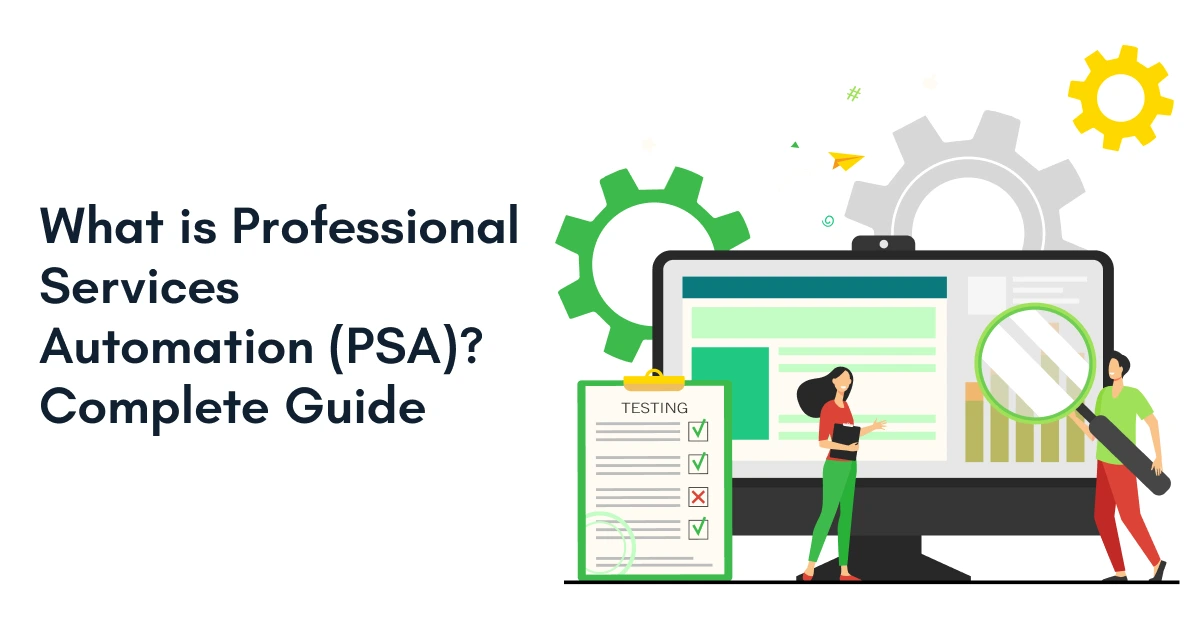
Professional services automation (PSA) brings these activities together. It connects project delivery, resource planning, timesheet management, invoicing, contracts, and financial reporting so service businesses can manage work and its financial outcomes more effectively.
Professional services automation project management connects day-to-day project execution with resource utilization, billable time, budgets, and financial performance. This gives consulting firms, IT service providers, engineering businesses, and agencies a clearer view of how projects are progressing and whether they are meeting their financial goals.
In this guide, you’ll learn what professional services automation is, how PSA software works, which features matter, how it differs from traditional project management tools, and how to choose the right professional services automation solution for your business.

What Is Professional Services Automation (PSA)?
Professional services automation (PSA) is software that helps service-based businesses manage projects, resources, timesheets, billing, contracts, and financial performance through connected workflows.
Unlike tools that focus only on tasks or project schedules, PSA links service delivery with the operational and financial processes behind it. Teams can track project progress, monitor billable hours, manage resource capacity, prepare invoices, and review project margins using connected information.
How does PSA work?
A typical PSA workflow starts when a business defines a project’s scope, budget, timeline, and resource requirements. Managers assign the right people, teams record their time and expenses, and project leads monitor delivery against the agreed plan. Approved work then feeds into billing, while financial reporting helps the business assess costs, revenue, and profitability.
The exact workflow varies by platform and by how the organization configures its systems.
What Does Professional Services Automation Do?
Professional services automation connects project execution with resource planning, time tracking, billing, contracts, and financial reporting. It helps teams coordinate work from project setup through delivery and invoicing.
For example, when a consultant records billable hours against a project, that information can support utilization reporting, budget tracking, and invoice preparation. When the platform is integrated with finance or ERP software, approved data can also flow into the relevant financial workflows.
PSA capabilities depend on the product and its integrations, so not every platform automates every step by default.
Why Is PSA Different from Traditional Project Management Software?
Traditional project management software primarily helps teams plan tasks, assign responsibilities, track milestones, and manage deadlines. Professional services automation project management extends this view by connecting project execution with resource utilization, timesheets, billing, contracts, and financial performance.
For service businesses, the distinction matters because completing a project on time does not necessarily mean it was profitable. PSA helps organizations review delivery progress alongside billable hours, project costs, budgets, and revenue.
The capabilities of both categories can overlap. Some project management tools offer time tracking and reporting, while some PSA platforms provide advanced project planning features. The difference is the extent to which project delivery is connected to the wider service business.
| Capability | Traditional project management software | Professional services automation |
| Task and milestone tracking | Core capability | Typically included |
| Resource planning | Varies by platform | Often includes capacity and utilization planning |
| Timesheet tracking | Available in some tools | Common core capability |
| Client invoicing | Usually requires another tool or integration | Often supports billing workflows |
| Contract management | Varies; often separate | May include contract lifecycle capabilities |
| Project cost and margin tracking | Varies by platform | Connects delivery with financial performance |
| Financial system integration | Depends on integrations | Important for connected service operations |
Which Businesses Use PSA Software?
Many service-oriented organizations rely on PSA platforms. Consulting firms, IT service providers, engineering companies, marketing agencies, legal firms, and managed service providers are common users.
Common Functions of PSA Software
- Resource Management: Matches available talent with project requirements to improve utilization.
- Timesheet Management: Tracks billable and non-billable hours accurately.
- Project Management: Monitors timelines, budgets, milestones, and deliverables.
- Invoice Management: Converts completed work into accurate client invoices.
- Contract Lifecycle Management: Keeps contracts organized, visible, and compliant.
- Financial Visibility: Provides real-time insight into costs, revenue, and profitability.
PSA is not just another project tool. It is an operational framework for managing professional services efficiently.
How Does Procurement Automation Differ from Professional Services Automation?
Procurement automation and professional services automation support different business processes, although they can work together.
Procurement automation focuses on purchasing activities such as purchase requisitions, approval workflows, purchase orders, supplier records, and invoice processing. Professional services automation focuses on managing service delivery, including project planning, resource allocation, timesheets, client billing, contracts, and project profitability.
For example, a consulting firm may use procurement automation to manage software purchases, subcontractor orders, or project-related expenses. Its PSA platform can help track project budgets, record associated costs where supported, and assess how those costs affect project margins.
When procurement, finance, ERP, and PSA systems are integrated, approved information can move between the relevant workflows. This can reduce duplicate data entry and give teams a more complete view of project costs.
When should a business consider both?
Organizations that manage substantial subcontractor spend, project-related purchasing, or external service providers may benefit from connecting procurement workflows with PSA and finance systems. The right setup depends on the organization’s purchasing processes and the integration capabilities of its software.
Why Do Professional Services Businesses Struggle Without PSA?
Many businesses do not realize they have an operational visibility problem until growth exposes it. As project volume increases, manual processes start breaking down. Teams spend more time managing systems than delivering value to clients. This is where the need for professional services automation becomes clear.
Pain Points Service Organizations Face
Without centralized visibility, information gets scattered. Project managers track delivery in spreadsheets. Finance teams manage billing separately. Leadership struggles to understand project profitability. The result is delayed decisions and inconsistent outcomes.
Key challenges include:
- Resource conflicts: Teams struggle to assign the right people to the right projects.
- Revenue leakage: Missed or inaccurate timesheets lead to unbilled work.
- Delayed invoicing: Manual processes slow down cash flow.
- Limited profitability insights: Project costs and margins are difficult to track.
- Duplicate data entry: Employees waste time updating multiple systems.
- Lack of real-time visibility: Leaders cannot make quick, informed decisions.
Disconnected Systems Create Problems
When project, timesheet, contract, and finance data sit in separate systems, teams may work with inconsistent information. A project manager might see approved work in a project tool while finance is still waiting for timesheet approval or billing details.
A professional services automation solution can reduce these gaps by connecting relevant workflows and systems. The level of synchronization depends on the integrations, data rules, and approval processes in place.
Resource Allocation Becomes Difficult?
Resource planning is often reactive. Managers cannot easily see availability, workload, or utilization rates. Some employees become overloaded while others remain underutilized. This affects both productivity and profitability.
Day-to-day challenges faced:
- Uneven workloads: High performers often get assigned more work, leading to burnout.
- Skills mismatch: Projects may be assigned to available resources rather than the most qualified ones.
- Limited capacity visibility: Managers struggle to forecast future resource needs.
- Scheduling conflicts: Multiple projects compete for the same resources at the same time.
- Bench time and underutilization: Available talent is not used effectively.
According to the Project Management Institute (PMI), organizations continue to focus on improving project performance through better visibility, resource management, and technology-enabled decision-making. Effective project governance and integrated systems help improve delivery outcomes and business value.

How Does Professional Services Automation Improve Project Delivery?
Once businesses understand their operational challenges, the next step is identifying how PSA addresses them. The biggest benefit is control. Instead of managing projects through disconnected processes, teams work from a shared source of truth.
Smarter Planning
PSA helps managers compare project requirements with employee availability, skills, existing commitments, and planned workloads. This makes it easier to identify scheduling conflicts, assign suitable resources, and understand whether the team has enough capacity for upcoming work.
Key advantages:
- Capacity Planning
- Workload Balance
- Budget Control
- Risk Reduction
Financial Control
By connecting time entries, project budgets, costs, and billing information, PSA helps businesses identify projects that are running over budget or recording fewer billable hours than expected. Managers can review these signals earlier instead of relying on month-end reports.
Key advantages:
- Cost Tracking
- Profit Monitoring
- Faster Invoicing
- Cash Flow
Workflow Automation
PSA can automate routine steps such as timesheet reminders, approval notifications, billing preparation, and report generation. These workflows reduce repetitive administration, while approval rules and exception checks help teams retain control over important decisions.
Key advantages:
- Smart Notifications
- Report Generation
- Reduced Admin Work
Unified Collaboration
When project managers, delivery teams, and finance staff work with consistent project information, they can identify outstanding approvals, review budget changes, and resolve billing questions more quickly. Integrations with ERP and finance systems can extend this visibility beyond the PSA platform.
Key advantages:
- Shared Visibility
- Data Consistency
- Team Alignment
- Cross-Functional Access
- Faster Decisions
PSA helps businesses move from managing projects to managing outcomes.
Key Takeaways
- Professional Services Automation (PSA) helps service-based businesses manage projects, resources, timesheets, invoices, and contracts from one system.
- It reduces manual work, data silos, and operational delays.
- Modern PSA software improves project visibility, profitability, and team productivity.
- Organizations use PSA platforms to connect project delivery with financial outcomes.
- The right solution supports the entire service lifecycle, from project planning to invoicing.
- Integrated platforms like Procxo help unify project management, timesheets, invoices, contracts, and financial visibility without duplicate data entry.
How Can You Choose the Right Professional Services Automation Solution?
By this stage, the value of PSA is clear. The next question is choosing a solution that fits your business today and supports growth tomorrow. You should choose a platform that suits your business rather than a generic one.
Essential Features
Focus on business outcomes rather than feature lists. The best solution should simplify workflows, improve visibility, and connect operational data across systems.
Look for features such as:
- System Integrations: Connect ERP, finance, CRM, and other business tools.
- Contract Management: Track obligations, renewals, and compliance.
- Project Tracking: Monitor progress, budgets, and milestones in real time.
- Real-Time Reporting: Access actionable insights instantly.
What Should You Evaluate Before Choosing a PSA Solution?
Before selecting a professional services automation solution, evaluate how well it fits your delivery model and existing business systems.
- Workflow coverage: Check whether the platform supports your project lifecycle, from planning and resource assignment to timesheets and billing.
- Integration requirements: Confirm compatibility with your ERP, finance software, CRM, and other systems.
- Billing flexibility: Review support for hourly billing, fixed-fee projects, milestone billing, or other models relevant to your business.
- Resource visibility: Assess whether managers can review availability, utilization, skills, and future capacity.
- Reporting and profitability: Check how the solution presents project costs, revenue, budgets, and margins.
- Contracts and approvals: Verify whether contract records, approval workflows, and audit trails meet your operational requirements.
- Implementation and adoption: Consider configuration effort, user training, data migration, support, and ongoing maintenance.
The right PSA solution should fit your existing workflows and address the gaps that affect project delivery or financial control most.
Integrated Operations
Integration prevents data silos. Modern organizations use ERP systems, finance platforms, CRM software, and project tools. A PSA platform should work without any obstacles with these systems to create a unified ecosystem.
Through unified data management, you get:
- Real-Time Synchronization: Update records automatically across platforms.
- Reduced Data Entry: Minimize manual work and errors.
- Improved Accuracy: Ensure reliable reporting and decision-making.
- Scalable Operations: Support growth without adding complexity.
The right professional services automation platform helps organizations move beyond managing day-to-day tasks and focus on delivering measurable business outcomes.
How Does Procxo Support Professional Services Automation?
Procxo helps organizations connect project operations with their existing ERP, finance, and enterprise systems. For businesses managing multiple projects, timesheets, invoices, and contracts, this connection can help reduce duplicate data entry and improve the consistency of operational and financial information.
As a professional services automation solution, Procxo brings together capabilities for:
- Project management: Track project activities and delivery progress.
- Timesheet management: Record time against relevant projects and work.
- Invoice management: Support billing workflows using the information required for invoicing.
- Contract lifecycle management: Manage contract-related workflows and records.
- Financial visibility: Connect operational information with financial reporting.
- Workflow automation: Reduce repetitive administrative steps where supported by configured workflows.
- Audit-ready records: Support traceability and recordkeeping across relevant processes.
Procxo’s integration approach is particularly relevant to businesses that want to connect existing systems rather than replace every tool they already use. The actual workflows and data exchanged depend on the systems connected and the implementation.
Conclusion
Growth creates complexity. More clients mean more projects. More projects mean more resources, invoices, contracts, and data. Managing all of that manually is not sustainable.
Professional services automation helps organizations centralize operations, improve visibility, automate repetitive tasks, and connect project delivery with business performance. For service-based organizations, the goal is not simply completing projects. The goal is to deliver projects profitably, consistently, and at scale.
With the right PSA software, businesses can move from reactive management to proactive decision-making. And that is where long-term operational excellence begins.
FAQ
Professional services automation (PSA) is software that connects project management, resource planning, timesheets, billing, contracts, and financial reporting. It helps service-based businesses manage project delivery and understand how their work affects revenue and profitability.
PSA software is useful for consulting firms, IT service providers, engineering businesses, marketing agencies, and other organizations that manage client projects, billable resources, and service contracts. It is particularly valuable when disconnected systems make it difficult to track project progress, utilization, or profitability.
Project management software primarily focuses on tasks, schedules, milestones, and delivery. Professional services automation connects those activities with resource management, timesheets, billing, contracts, and financial performance. Some project management platforms offer overlapping features, so the differences depend on the products being compared.
Project automation reduces repetitive work through configured workflows for timesheet reminders, approvals, reporting, and billing preparation. When project data is connected with finance and resource information, teams can identify delays, monitor budgets, and make decisions using more consistent information.
Professional services automation tools can improve project visibility, resource utilization, time tracking, billing accuracy, and financial reporting. They can also reduce duplicate data entry and administrative effort when workflows and integrations are configured appropriately.
Look for project and resource management, timesheet tracking, billing workflows, contract management, financial reporting, and integrations with your existing ERP, finance, and CRM systems. Also evaluate implementation requirements, reporting flexibility, approval controls, and how well the platform supports your billing model.
Procurement automation manages purchasing activities such as requisitions, purchase orders, supplier workflows, and invoice processing. Professional services automation focuses on service delivery, resources, timesheets, client billing, and project profitability. Integrating these systems can help organizations connect project-related purchasing costs with their wider financial and project reporting.
Professional services automation project management connects project planning and execution with resource availability, timesheets, budgets, billing, and profitability. It helps service businesses assess not only whether projects are progressing, but also how delivery affects financial performance.
The best professional services automation software depends on your project workflows, billing model, resource planning needs, existing systems, and reporting requirements. Compare platforms against your actual business processes, integration needs, and implementation constraints rather than choosing solely by feature count.