-
Solutions

Timesheets Management
Stop leaving money on the table. Procxo's AI integrated time tracking operates in the background.
Project Management
Procxo connects all the work your team does with the money your firm makes. Manage your deadlines, assignments, and budgets.
Invoice Management
Turn days of manual reconciliation into a single click. Procxo works in the background to automatically.
Contract Lifecycle Management
Accelerate negotiations, govern service level agreements (SLAs), and execute agreements flawlessly. Procxo unifies drafting.
-
Resources
Blogs
Read our latest insights, articles, and updates. Stay informed with industry trends and perspectives.
Case Studies
Explore real examples of our work and impact. See how we solve complex challenges.
Why Procxo
Built to streamline projects, billing, and financial workflows. Helping service professionals work smarter and grow faster.
FAQs
Browse answers to frequently asked questions. Find clear information about our services and processes.


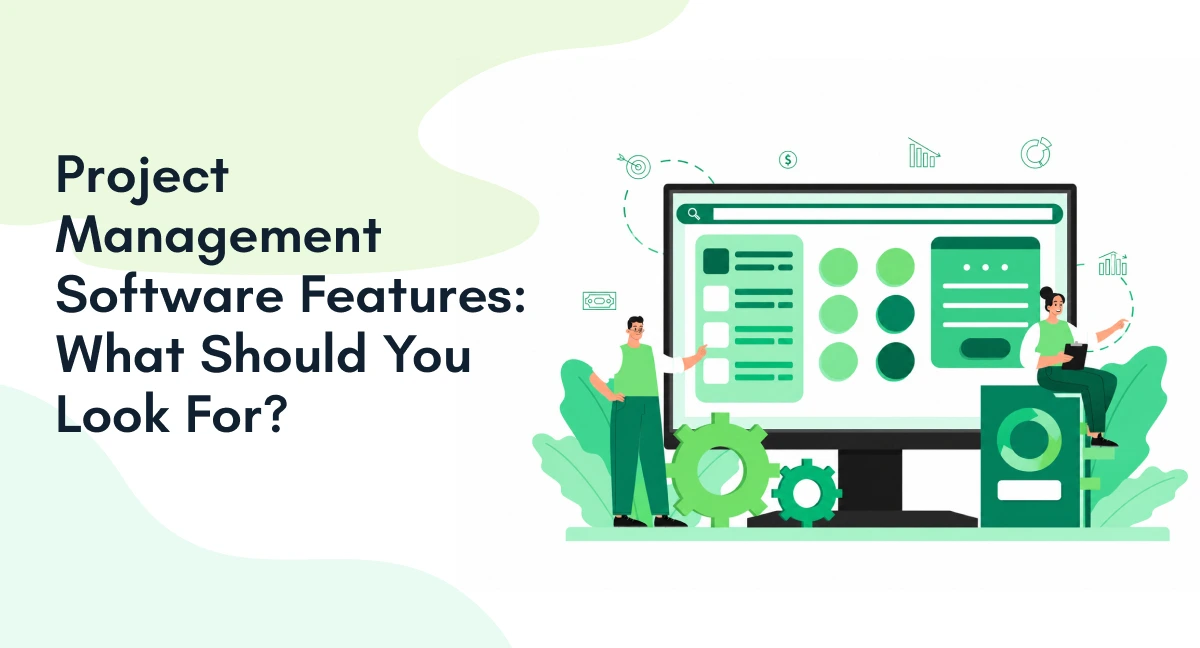
Choosing software by feature count can be misleading. A long feature list does not mean better project control. The right platform should match how your teams plan, execute, track, and report work.
The most important project management software features include task management, planning, tracking, resource management, collaboration, reporting, automation, integrations, and security. However, priorities differ across businesses.
A small team may need simple task views. A PMO may need portfolio reporting and resource planning. Client-facing teams may need time tracking and invoicing.
The cost of poor project performance can also be high. PMI found that 11.4% of investment was wasted because of poor project performance in its 2020 research.
So, how should businesses evaluate their options? Start with the project management software features that support real workflows.

| Feature area | Why it matters |
| Task management | Assign and track work |
| Planning & scheduling | Build realistic timelines |
| Dependencies | Understand downstream impact |
| Resource management | Match work to available capacity |
| Tracking | Identify delays and variance |
| Collaboration | Keep project context together |
| Reporting | Turn project data into decisions |
| Automation | Reduce repetitive administration |
| Integrations | Connect project work with business systems |
| Security | Control access and maintain governance |
Which Project Management Software Features Are Essential for Businesses?
The most useful features should turn project goals into clear, trackable work. They should also give managers enough visibility to act early.
Task Management and Ownership
Task management is the base of most project workflows. Look for features that support:
- Task creation and assignment
- Priorities and due dates
- Subtasks
- Recurring tasks
- Dependencies
- Task status
- Ownership and accountability
Good project management system features should connect individual tasks with wider project goals. Users should know what needs attention and who owns it.
This also separates business tools from the best task management software for individuals. Individual users often need quick capture, reminders, and personal views. Business teams usually need dependencies, shared ownership, approvals, and reporting.
When reviewing project management software features, ask one question. Can users move from a project goal to assigned work?
Project Planning and Scheduling
Planning features should show how work fits together. Effective project planning software should support:
- Gantt charts
- Project timelines
- Milestones
- Task dependencies
- Critical paths
- Calendar views
- Project baselines
Microsoft describes timeline and Gantt views as scheduling features for project planning.
However, project planning software should do more than display dates. It should show how changes affect connected work.
For example, delaying one task may affect several dependencies. Strong project management software features should make those relationships visible.
Project Tracking and Progress Visibility
Tracking should answer three questions quickly:
- What is complete?
- What is delayed?
- What needs attention?
Useful project tracking features include status dashboards, milestone tracking, alerts, progress updates, and planned-versus-actual views.
| Project Tracking Feature | What to Evaluate |
| Task status | Can teams see pending work? |
| Milestone tracking | Can managers monitor deliverables? |
| Dashboards | Can stakeholders see status quickly? |
| Alerts | Can teams spot delays early? |
| Planned vs. actual | Can managers identify variance? |
Strong project tracking features should turn project data into decisions. They should not simply store status updates.
These project management system features also become more useful when tracking connects with planning. Managers can then compare the original schedule with actual progress.
What Project Management System Features Matter Beyond Task Tracking?
A complete system should support management decisions beyond daily tasks. This is where broader project management system features become important.
Resource and Capacity Management
Resources include people, time, skills, and sometimes equipment. A project can have a good schedule but still fail when resources are unavailable.
Look for:
- Resource allocation
- Capacity planning
- Workload views
- Resource availability
- Time tracking
- Utilization reporting
Microsoft Project includes resource requests, capacity heat maps, and resource analytics.
These project management system features help managers identify overallocated resources. They also support better project planning.
Good project planning software should therefore connect schedules with capacity. A timeline without resource visibility can create unrealistic commitments.
Collaboration and Document Management
Projects create large amounts of information. Comments, files, approvals, and decisions can become scattered.
Useful project management software features should keep project communication close to the related work.
Look for:
- Comments and mentions
- File sharing
- Document versioning
- Notifications
- Approval workflows
- Stakeholder access
This matters for internal and external teams. It can also reduce the need to search across separate communication channels.
Reporting, Dashboards, and Analytics
Reporting turns project activity into management information. Important project management system features include:
- Custom dashboards
- Project reports
- Portfolio views
- Budget reports
- Schedule reports
- Performance trends
- Exportable data
For PMOs, reporting becomes even more important. PMO software should help compare projects and identify common risks.
Microsoft Project also supports portfolio-level views and project reporting.
Useful reporting should answer more than “What happened?” It should help managers understand what needs action.
Which Advanced Features Should You Consider?
Advanced capabilities should solve specific workflow problems. They should not exist simply to make a product feature page longer.
Workflow Automation
Automation can reduce repetitive project administration. Useful automation includes:
- Automatic task assignments
- Reminder triggers
- Status changes
- Approval workflows
- Recurring workflows
- Automated notifications
These project management software features are useful when teams repeat the same processes.
For example, a completed task could trigger an approval request. An approved request could then create the next task.
Automation can also support complex handoffs across departments. Microsoft describes AI and automation capabilities that connect workflows across systems.
Integrations, AI, and Security
Integrations should connect project work with existing business systems. Consider integrations with:
- ERP platforms
- Finance systems
- CRM platforms
- Calendars
- Communication tools
- Time-tracking systems
APIs can support custom integrations when standard connectors are not enough.
AI features may assist with planning, summaries, risk identification, or workflow automation. However, AI should support existing processes. It should not distract from them.
Security is equally important. Look for role-based access, permissions, audit trails, and data controls.
These project management system features become more important as project information moves across departments.

How Should You Evaluate Project Management Software Features?
Evaluate every feature against your actual workflow. Do not choose software because it has the longest feature list.
Use these five questions:
| Evaluation Question | What It Tells You |
| Does it solve the current problem? | Business relevance |
| Is it easy to use? | Adoption potential |
| Can it support more projects? | Scalability |
| Does it connect with existing systems? | Integration fit |
| Does it provide useful data? | Management visibility |
The best project management software features are those that solve real operational problems.
For example, a small team may value the best task management software for individuals for simple work. A larger organization may need resource planning and portfolio reporting.
Similarly, project planning software should match project complexity. Simple projects may need timelines and dependencies. Complex programs may need capacity and portfolio views.
For PMOs, PMO software may require stronger governance and reporting. The right feature set depends on how the organization manages projects.
This approach also supports better project tracking features. Teams can focus on the information they need.
How Do You Know Which Project Management Features Your Business Needs?
The right feature mix depends on project complexity, team structure, workflows, and existing systems. Businesses should prioritize capabilities based on actual operating needs.
| Business Situation | Features to Prioritize |
| Small teams | Task management, calendars, collaboration |
| Multiple active projects | Dependencies, resource planning, dashboards |
| Client-facing projects | Time tracking, approvals, reporting |
| Complex enterprise projects | Portfolio views, resources, automation |
| PMO-led operations | Governance, reporting, standard workflows |
| Finance-heavy projects | Timesheets, invoicing, finance integrations |
Simple teams may only need basic project management software features. Larger organizations may require advanced project management system features across resources, reporting, and governance.
Project planning software should also match project complexity. A simple timeline may work for smaller projects. Complex programs may need dependencies and capacity planning.
The same applies to project tracking features. Managers should choose tracking capabilities based on the decisions they need to make.
Status updates may be enough for simple work. Larger teams may need real-time dashboards and variance reporting.
This prevents businesses from paying for features they rarely use. It also creates room for future growth.
The focus should not only be on collecting more features. It is to create a project workflow that teams can actually use.
Conclusion
Project management rarely operates by itself. Timesheets, finance systems, invoices, contracts, and enterprise applications often support the same workflows.
Procxo helps organizations connect their existing tools and systems. Its capabilities include timesheet management, project management, invoice management, and contract lifecycle management.
The platform helps reduce duplicate data entry. It also connects financial visibility across project workflows.
For organizations evaluating project management software features, integration should therefore be part of the decision. The right platform should fit the existing technology environment.
Procxo’s focus is not on using more software. It has always been about better-connected project work.
FAQs
The core project management software features include task management, scheduling, dependencies, tracking, resources, collaboration, reporting, automation, integrations, and security.
A project management system should support planning, execution, tracking, resources, reporting, and collaboration. Strong project management system features should also connect with existing systems.
The most useful project tracking features include status updates, milestone tracking, dashboards, alerts, and planned-versus-actual reporting. These features help managers identify delays earlier.
Look for project planning software with timelines, Gantt charts, milestones, dependencies, and resource views. The right project planning software should also adapt when priorities change.
Task management may work for simple projects. Larger teams need broader project management software features for resources, reporting, dependencies, collaboration, and governance.
Businesses should prioritize the essential features of project management software for businesses based on workflow complexity. The essential features of project management software for businesses should improve visibility and reduce administrative effort.
Yes. PMO software can support portfolio reporting, governance, resource visibility, project tracking, and standardized workflows. PMO software becomes more useful as project volume and complexity increase.