-
Solutions

Timesheets Management
Stop leaving money on the table. Procxo's AI integrated time tracking operates in the background.
Project Management
Procxo connects all the work your team does with the money your firm makes. Manage your deadlines, assignments, and budgets.
Invoice Management
Turn days of manual reconciliation into a single click. Procxo works in the background to automatically.
Contract Lifecycle Management
Accelerate negotiations, govern service level agreements (SLAs), and execute agreements flawlessly. Procxo unifies drafting.
-
Resources
Blogs
Read our latest insights, articles, and updates. Stay informed with industry trends and perspectives.
Case Studies
Explore real examples of our work and impact. See how we solve complex challenges.
Why Procxo
Built to streamline projects, billing, and financial workflows. Helping service professionals work smarter and grow faster.
FAQs
Browse answers to frequently asked questions. Find clear information about our services and processes.


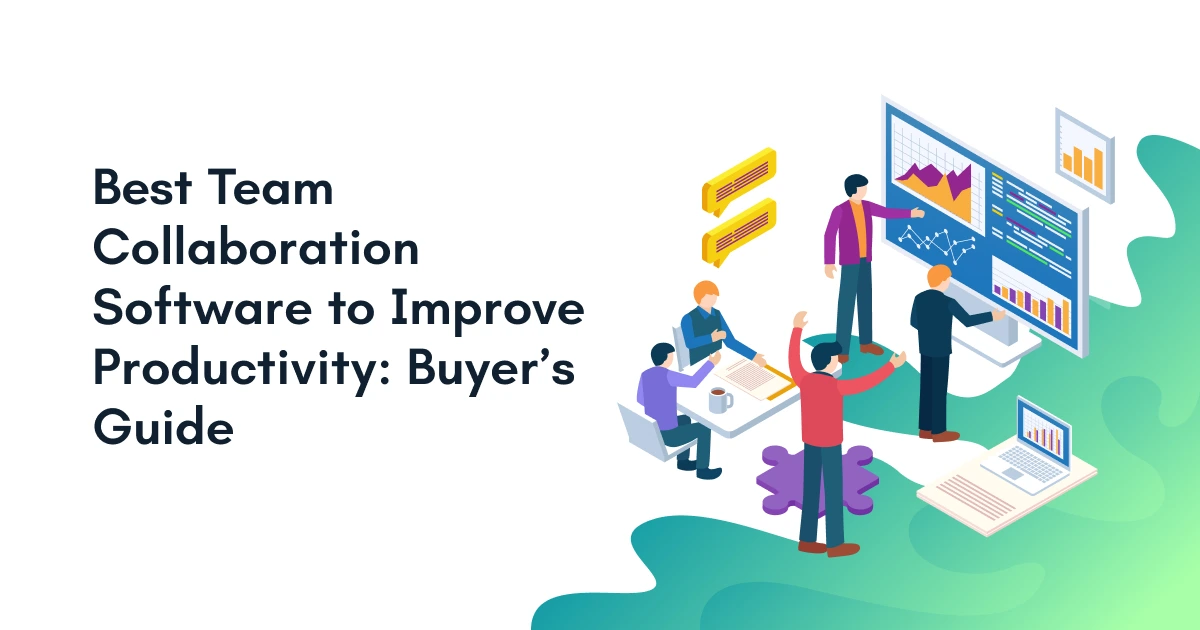
Are your employees spending more time following up on updates than doing real work? Scattered chats, misplaced files, and endless status meetings drain energy fast. Selecting the right team collaboration software changes the scenario completely. It brings scattered project pieces together so your workforce can focus on high-value results. If you want to align operations, Procxo helps you build unified ecosystems to eliminate daily friction. Let us explore how modern software transforms chaotic workflows into clear, profitable business outcomes.
What Is Team Collaboration Software and Why Does Your Business Need It?
Team collaboration software is a digital platform that unifies messaging, project tracking, file sharing, and task assignments into a single hub. It removes communication barriers and helps cross-functional teams complete work faster.
Choosing the right platform is the easiest way to align your company’s daily operations. It removes siloes and lets everyone work from a centralized hub of business information.

What Team Collaboration Software Does?
Modern platforms bring scattered work activities under one umbrella. They combine chat threads, video meetings, and task tracking into one central dashboard. This setup ensures that nobody wastes time asking where a document lives.
When your systems talk to each other, project progress becomes instantly clear. Employees can attach files directly to task cards and tag relevant teammates. This keeps conversations tied directly to the actual deliverables.
How do they Solve Common Business Challenges?
Businesses often suffer from lost emails, missed deadlines, and unrecorded project changes. Digital collaboration hubs eliminate these bottlenecks by recording every edit and comment in real-time.
According to research by McKinsey & Company, organizations utilizing integrated collaboration solutions see a 20% to 25% increase in overall team productivity.
Core Benefits Across Organizational Teams
- Product Management: Keeps product roadmaps visible and aligns development sprints with commercial goals.
- Operations & Finance: Connects operational task tracking with resource allocation and real-time budget updates.
- Remote & Hybrid Staff: Ensures equal access to project updates regardless of physical location or time zones.
| Feature Area | Traditional Workplace | Modern Collaboration Ecosystem |
| Communication | Fragmented email threads | Centralized, topic-based channels |
| Task Ownership | Verbal promises in meetings | Clear digital assignments with deadlines |
| Document Access | Local hard drives or buried attachments | Cloud file sharing with version control |
| Work Visibility | Opaque; requires status meetings | Real-time dashboards and automated alerts |
Connecting your team communication with enterprise workflows creates a smooth operational backbone.
Key Statistics
- Time Spent Coordinating: Knowledge workers spend 60% of their workday on “work about work” instead of primary job duties. Source: Speakwise
- Productivity Boost: Companies that implement modern collaboration tools experience a 20–30% increase in overall productivity. Source: Prasambi
- Tool Overload: The average enterprise uses over 100 SaaS applications, causing cognitive fatigue and communication gaps. Source: Speakwise
Is Your Team Losing Productivity Without Realizing It?
Teams lose productivity through hidden time drains like app-switching, vague task ownership, and scattered messages. Without centralized software, employees waste hours searching for context instead of executing core responsibilities.
Scattered chat threads across multiple tools confuse staff members daily. When project ownership remains unclear, critical deadlines slip through the cracks unnoticed.
Employees often waste hours doing duplicate work due to version control confusion. Simple decisions get delayed for days because key information sits trapped inside isolated email silos.
Management also suffers when they lack clear visibility into overall project progress. Implementing unified collaboration tools fixes these blind spots immediately.
How Does Team Collaboration Software Improve Workplace Productivity?
Collaboration software boosts workplace productivity by centralizing conversations, simplifying task assignments, and automating repetitive updates. It reduces unnecessary meetings and provides absolute clarity across all departments.
Centralizing conversations and documentation prevent important project files from getting lost. It simplifies task assignments, so every worker knows their exact responsibilities.
Real-time editing features enable smooth, simultaneous teamwork from anywhere in the world. This drastically reduces unnecessary status meetings, freeing up valuable deep-work time.
Clear dashboards enforce accountability across all company departments. Most importantly, it serves as ideal collaboration software for remote project teams, keeping distributed staff aligned.
What Are the Must-Have Features to Look for Before Choosing a Platform?
The ideal platform must combine real-time communication, task tracking, secure document management, and smooth integration capabilities to support end-to-end business operations.
- Shared Workspaces: Dedicated digital rooms where teams organize projects, updates, and deliverables together.
- Task and Project Management: Kanban boards, Gantt charts, and task lists that clarify work assignments.
- File Sharing with Version History: Central file storage that preserves editing histories and prevents accidental overwrites.
- Team Messaging and Video Collaboration: Built-in instant chat and video calls for quick problem-solving sessions.
- Workflow Automation Capabilities: Automated rules that route approvals and trigger status changes without manual effort.
- Calendar and Scheduling Integration: Synchronized calendars that keep project milestones and team availability visible.
- Searchable Knowledge Base: A searchable archive that helps staff locate historical decisions and company policies.
- Mobile Accessibility: Fully functional mobile apps that keep field workers and traveling staff connected.
- Reporting and Analytics Dashboards: Visual charts that track team velocity, resource workloads, and overall project health.
- Enterprise-Grade Security: Data encryption, single sign-on (SSO), and role-based permissions that protect sensitive data.

Common Mistakes Businesses Make While Implementing Collaboration Tools
Businesses fail with new tools when they deploy too many apps, skip structured employee onboarding, prioritize complex features over basic usability, and ignore post-launch adoption metrics.
Deploying Too Many Applications
Adding new software without retiring from old systems creates software overload. Employees get overwhelmed switching between a dozen apps every hour.
Ignoring Employee Onboarding
Buying great software means nothing if your team does not know how to use it. Formal training is essential for long-term success.
Choosing Features Over Usability
Flashy capabilities look great in sales demos, but simple interfaces win daily adoption. Pick software your employees will actually enjoy opening.
Not Defining Collaboration Workflows
Tools cannot fix broken processes on their own. You must set clear guidelines for where communication happens and how tasks move forward.
Failing to Measure Adoption and ROI
If you do not track active usage and turnaround times, you cannot measure success. Review user metrics regularly to justify your investment.
How to Choose the Right Team Collaboration Software for Your Business
Choose software by analyzing your team’s specific obstacle points. Make sure to confirm software integrations, evaluate long-term scaling costs, and pick up a platform that employees can adopt quickly.
- Evaluate Team Collaboration Challenges: Identify your biggest productivity leaks before browsing vendors. Are team members missing deadlines, losing files, or drowning in emails?
- Consider Business Size and Scalability: Pick a tool that fits your current workforce but can scale effortlessly as your team grows over the coming years.
- Review Integration Requirements: Ensure your new tool connects smoothly with existing enterprise apps, finance software, and customer management systems.
- Compare Pricing Against Long-Term Value: Do not just look at the monthly per-user fee. Calculate time saved, reduced meeting hours, and faster project completion rates.
- Prioritize Ease of Adoption: A platform with a gentle learning curve guarantees fast employee buy-in and immediate productivity gains across departments.
- Assess Security and Compliance Standards: Verify that the vendor meets industry data security standards, especially if you handle sensitive client or financial information.
How Is AI Changing the Future of Team Collaboration?
AI transforms team collaboration by automating meeting summaries, predicting project risks, recommending smart task allocations, and making internal company knowledge instantly searchable through natural language prompts.
AI Meeting Summaries
Artificial intelligence records video calls, generates automated meeting notes, and extracts key action items instantly.
Intelligent Task Recommendations
Smart algorithms analyze workload trends to suggest optimal task assignments and realistic project timelines.
Automated Workflow Management
AI moves tasks through multi-step approval processes automatically, cutting manual administrative work to zero.
AI-Powered Knowledge Discovery
Employees can ask natural language questions to search through company archives and find exact answers immediately.
Smart Document Collaboration
Generative tools help team members draft content, edit copy, and format technical reports directly inside shared docs.
Predictive Project Insights
Predictive analytics highlight potential project delays before they happen, allowing managers to reallocate resources early.
Conclusion
Selecting the right team collaboration software transforms how your organization operates. Focus on tools that simplify daily work management, unify communication, and integrate with your existing software stack. Ready to eliminate double data entry and align project workflows? Partner with Procxo today to build a connected, highly productive workspace.
FAQs
It is used to organize team communication, task management, file sharing, and project tracking inside a single digital platform. It eliminates lost emails and keeps remote and on-site staff aligned.
The best software balances low costs with ease of use. Tools with intuitive visual boards, built-in chat, and simple task assignment features work best for small teams.
It cuts time wasted searching for files, reduces unnecessary meetings, automates administrative tasks, and gives every team member clear visibility into their daily priorities.
Look for core features like task management boards, real-time messaging, secure file storage with version history, calendar sync, mobile access, and workflow automation.
Collaboration software focuses on real-time communication and file sharing, while project management software focuses on detailed scheduling, resource allocation, and timeline tracking. Modern platforms combine both.
Yes, modern platforms offer native integrations and APIs to connect with CRMs, ERPs, time tracking tools, and financial software like Procxo to ensure smooth data flow.
Yes, reputable cloud providers use enterprise-grade encryption, role-based access controls, single sign-on (SSO), and regular compliance audits to keep enterprise data safe.
Start by auditing your current workflow bottlenecks. Then evaluate integration requirements, test user interfaces with a small pilot team, check security standards, and calculate long-term ROI.

Latest Blogs

16th September, 2026